


Wi-Fi: Helping you get connected
Getting connected, and staying connected, to the internet is an essential part of all spheres of life and without it companies could be missing out on business. Wi-Fi is a wireless networking technology that facilitates the connection to the internet and supports the sharing of information by devices. This gives organisations more flexibility in positioning devices and people within offices as they are no longer dependent on plugging into an ethernet connection.
With untethered access to documents, emails, applications, and other resources, employees can roam where they need to and still have access to resources for getting the job done. It makes it easier for companies to expand and for staff to work in areas that may have been challenging to reach with the wired network. It also makes it easier for organisations to create guest access for their customers and business partners without compromising the security of their main network.
We have the technical know-how to install and implement an effective Wi-Fi network so you have a seamless internet connection across all your devices.

Making the connection
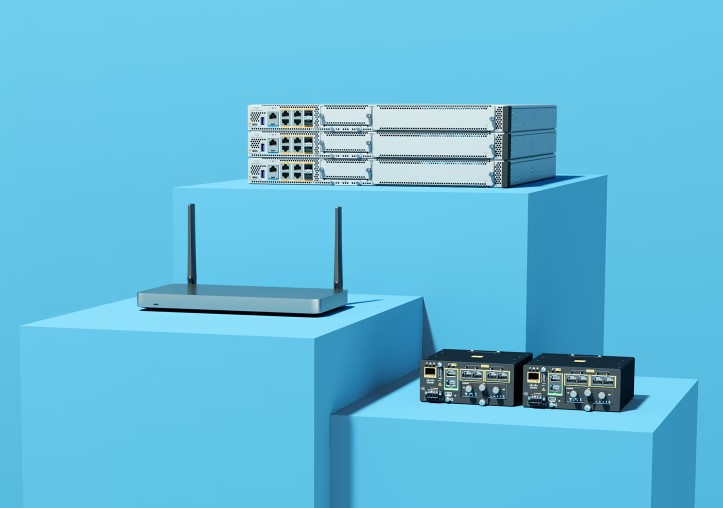
The most common way for users to connect to the Internet wirelessly is with a desktop wireless (Wi-Fi) router. These routers look like small boxes with multiple short antennas to help broadcast the signal throughout a home or workplace. The farther a user is from the base Wi-Fi router, the weaker the signal. So multiple wireless routers, called range extenders, usually are placed throughout the workspace. Wi-Fi range extenders, placed in an array, boost or extend Internet coverage.
To improve connectivity across a site it is important to have multiple wireless access points. What a wireless access point does for your network is similar to what an amplifier does for your home sound system. An access point takes the bandwidth coming from a router and stretches it so that many devices can go on the network from farther distances away. But a wireless access point does more than simply extend Wi-Fi. It can also give useful data about the devices on the network, provide proactive security, and serve many other practical purposes.
Making the most of your Wi-Fi
To improve connectivity across a site it is important to have multiple wireless access points. What a wireless access point does for your network is similar to what an amplifier does for your home sound system. An access point takes the bandwidth coming from a router and stretches it so that many devices can go on the network from farther distances away. But a wireless access point does more than simply extend Wi-Fi. It can also give useful data about the devices on the network, provide proactive security, and serve many other practical purposes.


Wi-Fi 7: The new era of connectivity
The IEEE 802.11 standard defines the protocols that enable communications with current Wi-Fi-enabled wireless devices, including wireless routers and wireless access points. Wireless access points support different IEEE standards. The standards operate on varying frequencies, deliver different bandwidth, and support different numbers of channels.
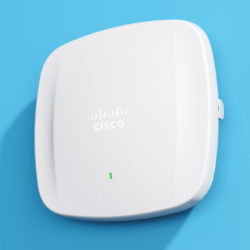
The latest standard is Wi-Fi 7. This provides organisations with the ability to have more efficient networks as well as faster connections, while also providing effective cybersecurity. The rise of cloud computing, AI, IoT, as well as virtual reality (VR) and augmented reality (AR) that require higher bandwidths, has been a key driver in the development of Wi-fi 7. The first release of Wi-Fi 7 was in spring 2024 and the second is due by the end of 2026.
The standard provides organisations with the ability to have more efficient networks as well as faster connections, while also providing effective cybersecurity. The rise of cloud computing, AI, IoT, as well as virtual reality (VR) and augmented reality that require higher bandwidths, has been a key driver in the development of Wi-fi 7. The key benefits of Wi-fi 7 are reduced latency and buffering, which means networks are better able to cope with the demand for seamless access but also provides the opportunity for VR and AR to be used more widely.


We offer Wi-Fi solutions to meet your needs.
Request a call with one of our experts
Your information will only be used to make contact with you about this enquiry. The data in this form will be sent to us over email.
Frequently Asked Questions
What is Wi-Fi?
Wi-Fi is a a wireless local area network (WLAN) technology that enables digital devices within a certain area to communicate via radio waves.
It is a trademark that refers to the wireless technology called IEEE 802.11X. The term is used to describe the family of 802.11 specifications developed by the IEEE for wireless LAN technology. As the specification is incrementally refined, the previous specification becomes a defacto standard or “protocol”. A Wi-Fi protocol (802.11N, for example) defines a number of factors such as how the data being sent and received is shaped, operating frequency (e.g. 2.4GHz or 5GHz), channels available, data stream speed, and MHz bandwidth. The protocol further specifies how wireless error checking and retransmission is accomplished. In order for two Wi-Fi devices to communicate with each other, they must both support the same protocol.
How does Wi-Fi work?
The IEEE 802.11 standard defines the protocols that enable communications with current Wi-Fi-enabled wireless devices, including wireless routers and wireless access points. The standards operate on varying frequencies, deliver different bandwidth, and support different numbers of channels. The latest standard is Wi-Fi 7.
What is a wireless access point?
A wireless access point (AP) allows wireless devices to connect to the wireless network. An access point takes the bandwidth coming from a router and stretches it so that many devices can go on the network from farther distances away.
What is a wireless router?
Wireless routers are commonly found in homes. They’re the hardware devices that Internet service providers use to connect you to their cable or xDSL Internet network.
What is a desktop Wi-Fi router?
The most common way for users to connect to the Internet wirelessly is with a desktop wireless (Wi-Fi) router. These routers look like small boxes with multiple short antennas to help broadcast the signal throughout a home or workplace.
What is a mobile hotspot?
A mobile hotspot is a common feature on smartphones with both tethered and untethered connections. When you turn on your phone’s mobile hotspot, you share your wireless network connection with other devices that can then access the Internet.
What is a wired internet connection?
Ethernet cable (a wired connection) is the primary way for people to connect to their cable modem, router and access the Internet.
What is the disadvantage of Ethernet cable?
Ethernet cable may require well planned installation and routing, especially in a business environment. In some cases, installation may be impossible without a basement, attic or access to the structure during construction.
What is the advantage of Wi-Fi?
- Goes where cable cannot
- No cable clutter
- Generally less expensive than Ethernet cabling
- Is usually fast enough for most internet uses
- Accessible, allowing more people to use the Internet
- Potential for “anywhere” mobile computing
Is Wi-Fi going to replace wires?
The Ethernet and Wi-Fi technologies generally need to co-exist. For example, a wireless access point needs power and the ability to transmit data back and forth to the switch. Both actions would be accomplished with a single Ethernet cable.
When should you have a wired Internet connection?
When a network connection requires maximum speed and stability, that connection should be wired. For example, if you have security cameras, gaming PC’s, gaming consoles and devices used for high quality entertainment like 4K video streaming. Additionally,
- When the network connection requires low latency (lag), it should always be wired.
What is the history of Wi-Fi
Toggle content goes here, click edit button to change this text.
What is the Wi-Fi Alliance?
The Wi-Fi Alliance is the worldwide network of companies that brings you Wi-Fi. Its vision is to connect everyone and everything, everywhere. Its work includes development of Wi-Fi technologies, requirements, and programs that promote a robust global Wi-Fi ecosystem.
What is the IEEE Standards Association (IEEE SA)?
The IEEE Standards Association (IEEE SA) brings together a broad range of individuals and organizations from a wide range of technical and geographic points of origin to facilitate standards development and standards related collaboration. With collaborative thought leaders in more than 160 countries, we promote innovation, enable the creation and expansion of international markets and help protect health and public safety. Collectively, our work drives the functionality, capabilities and interoperability of a wide range of products and services that transform the way people live, work, and communicate.